Start free. Unlock more when you need it.
One server, free forever. Paid plans add servers, the AI ops copilot, the API and team governance.
Termal OS Free
For solo devs & indie hackers. Your servers as a desktop - over plain SSH.
- Preview: up to 3 servers + the AI copilot, free right now
- Free forever for 1 server & 1 user - paid plans from €29/year
- Live metrics: CPU, memory, disk, network, processes
- Remote desktop: files, terminal, code editor, browser
- Smart alerts with escalation & per-server thresholds
- Hosted sites, Docker & service status
- Available in 12 languages
Termal OS Paid plans
Everything in Free, plus more servers and pro features.
- More servers - up to 10 (Pro), unlimited (Pro Plus)
- AI ops copilot - bring your own API key
- Public read-only API
- Teams: roles & per-server access control (ACL)
- Multi-user accounts & audit log
Or support the project on Buy Me a Coffee - any donation, even a single coffee, unlocks a Lifetime Pro license, as a thank-you.
Everything you need to run a fleet.
Monitor and act from the same place - no context switching, no agents.
SSH desktop
A window manager, files, a code editor & a browser - over a plain SSH connection.
Live monitoring
CPU, memory, disk, network, processes and history, pushed in real time.
File manager
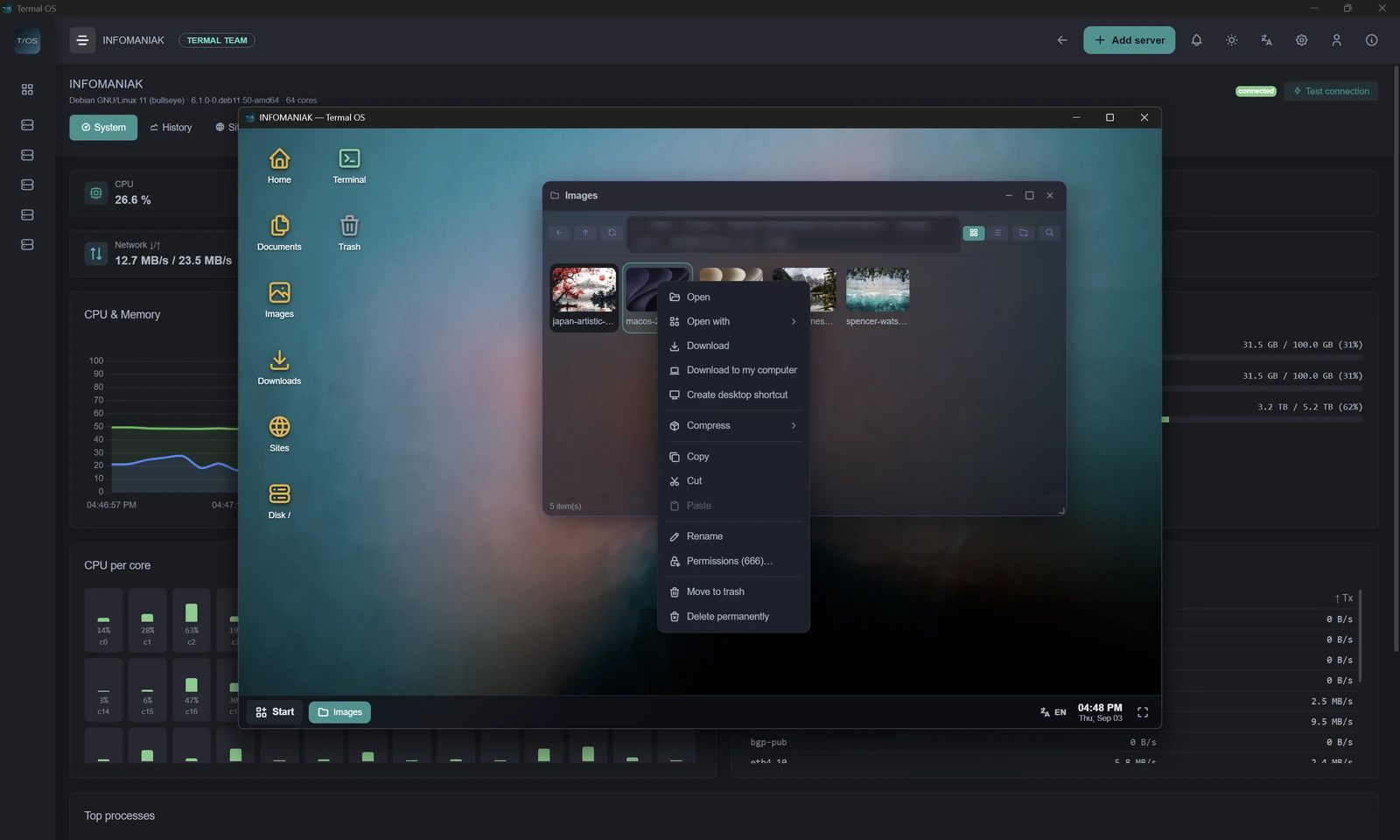
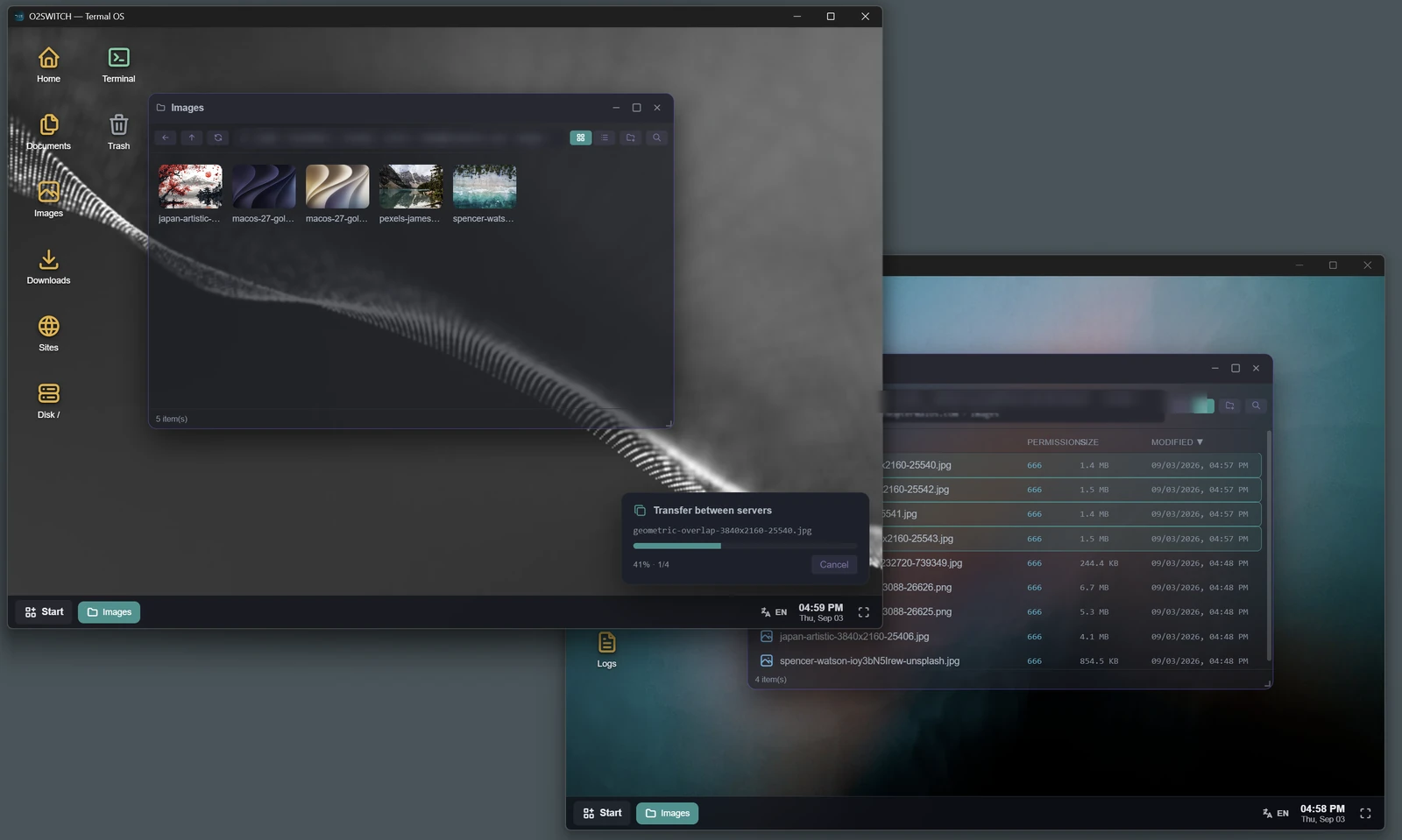
Full SFTP explorer: copy, upload, archives, permissions, download folders.
Terminal & logs
Real PTY shell and live tail -F log streaming, right inside the app.
Smart alerts
Per-server thresholds, escalation, Telegram & webhook notifications.
AI ops copilot
Diagnose and fix issues with assisted, reviewable commands.
Roles & ACL
Admin / operator / viewer, with per-server access control.
Docker & sites
Containers, hosted sites, PHP versions, git pull and visit stats.
What it actually looks like.
No mockups - this is the app.
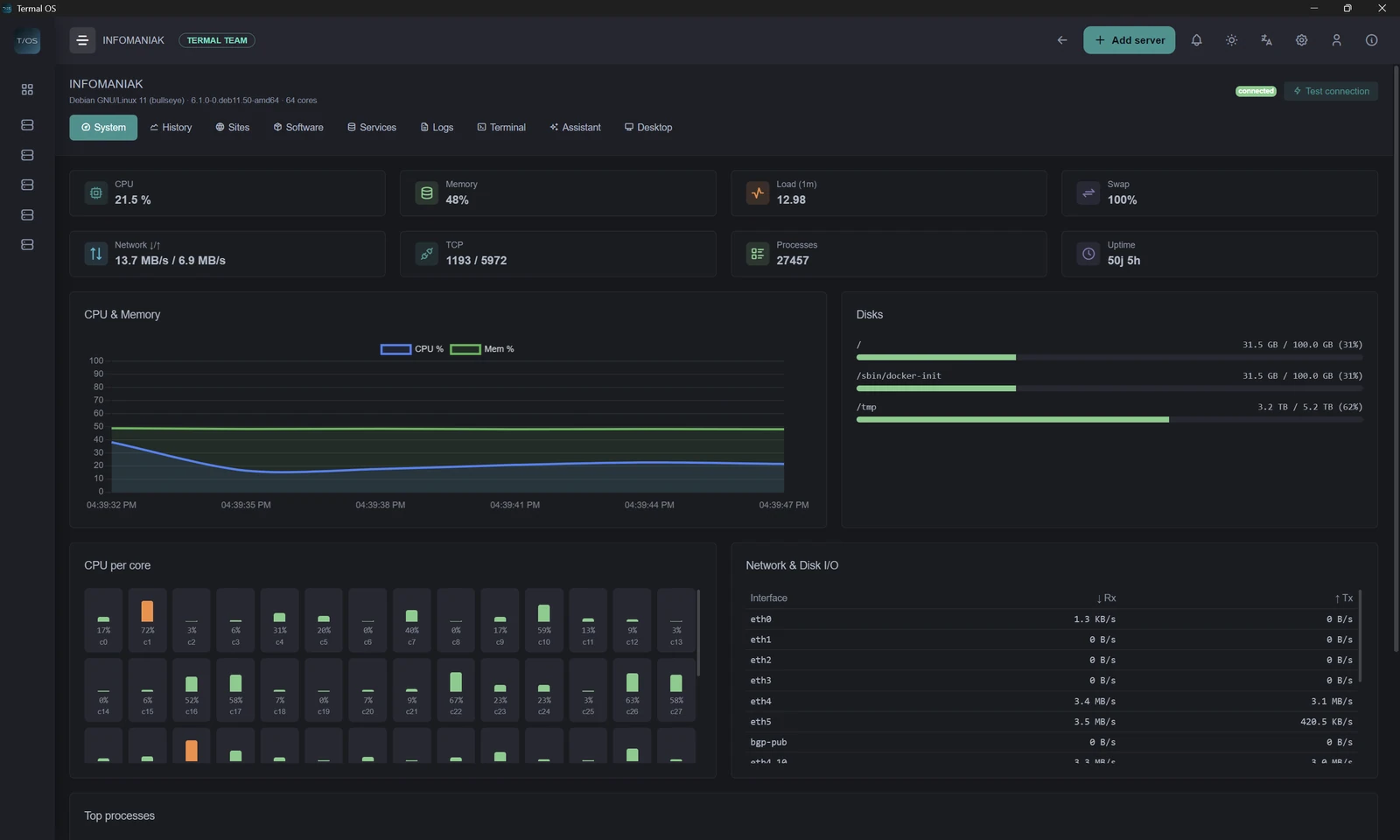
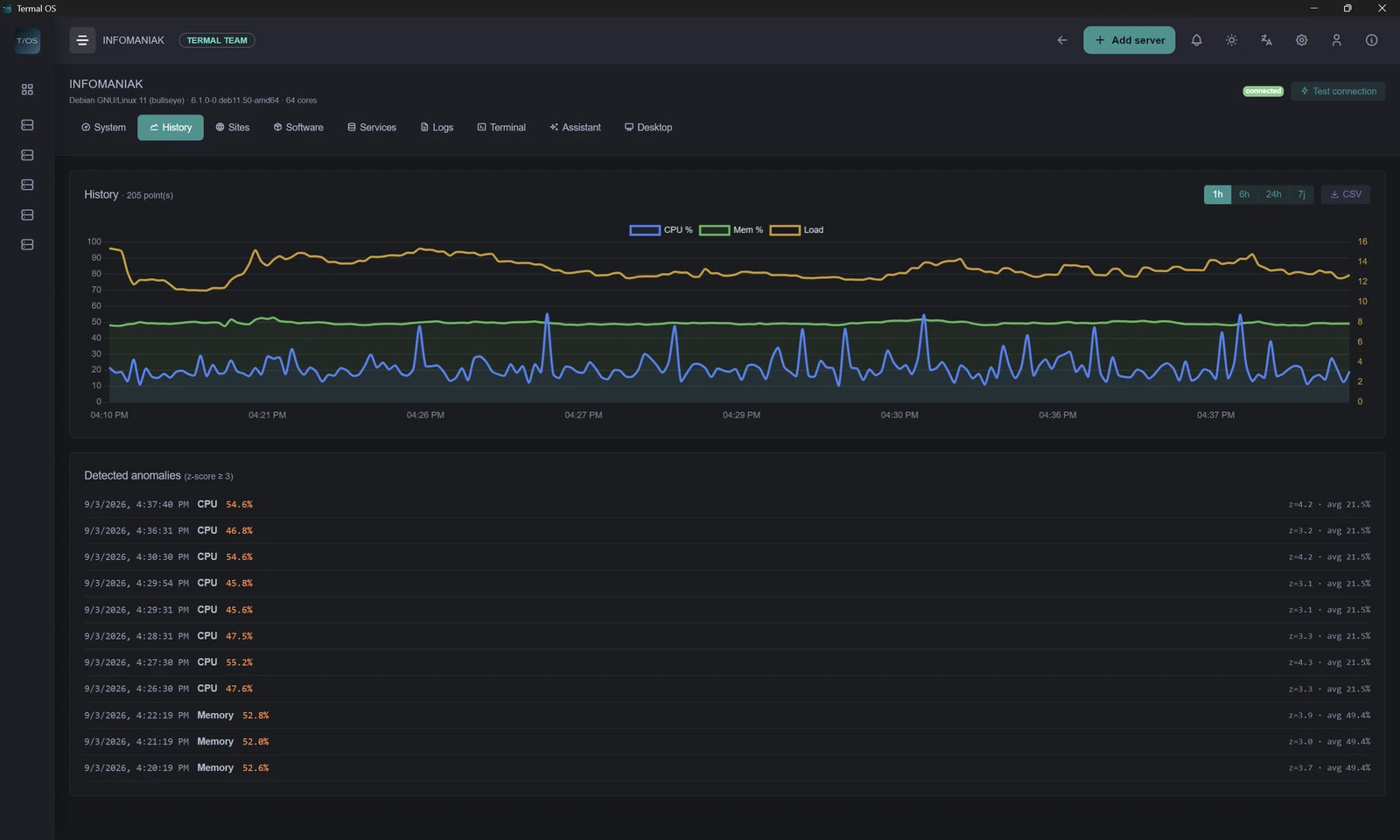
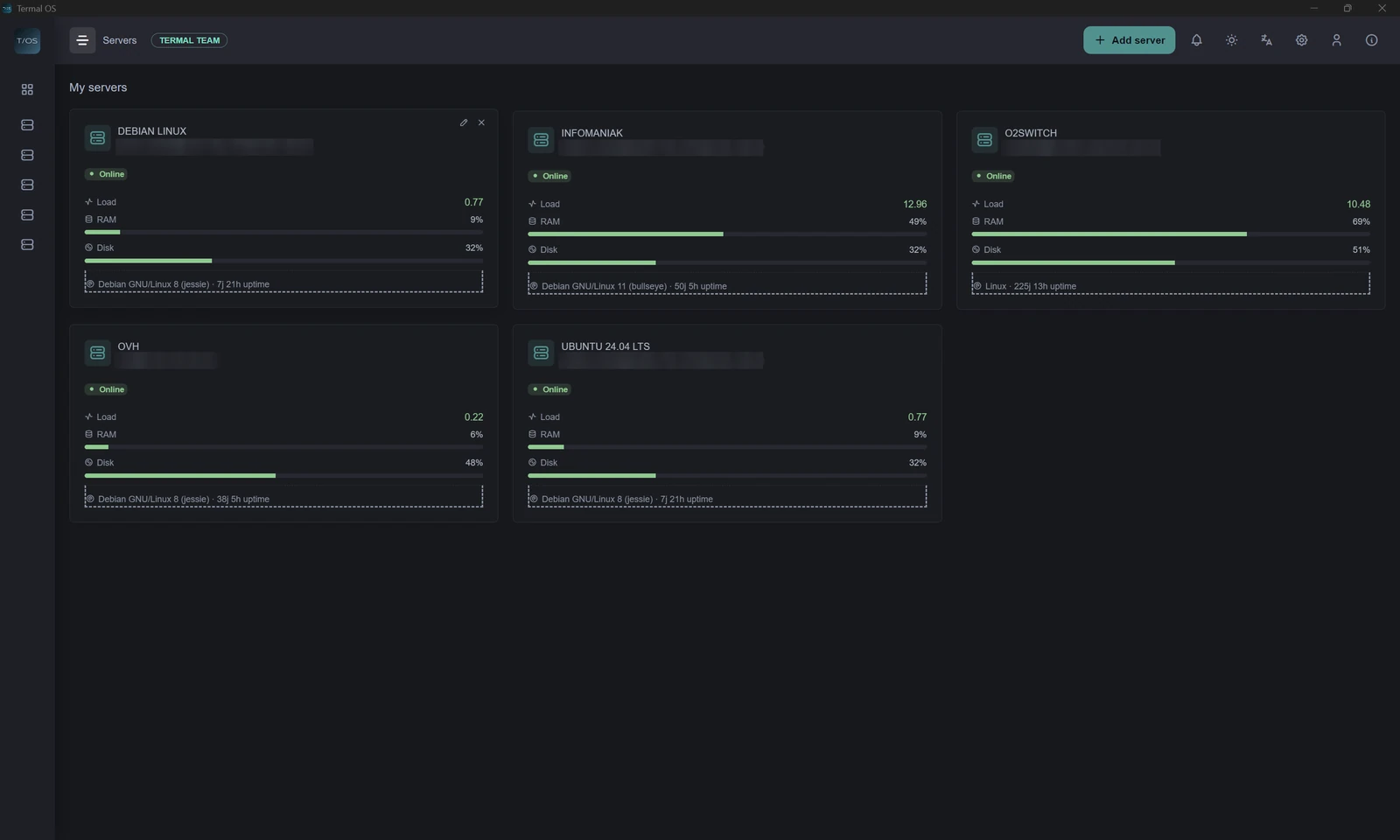
Every server, at a glance.
CPU, memory, disks, network, load and processes, pushed live over the SSH connection you already have. History with anomaly detection, and export to CSV or JSON when you need to prove what happened.
Files, terminal and editor - in one window.
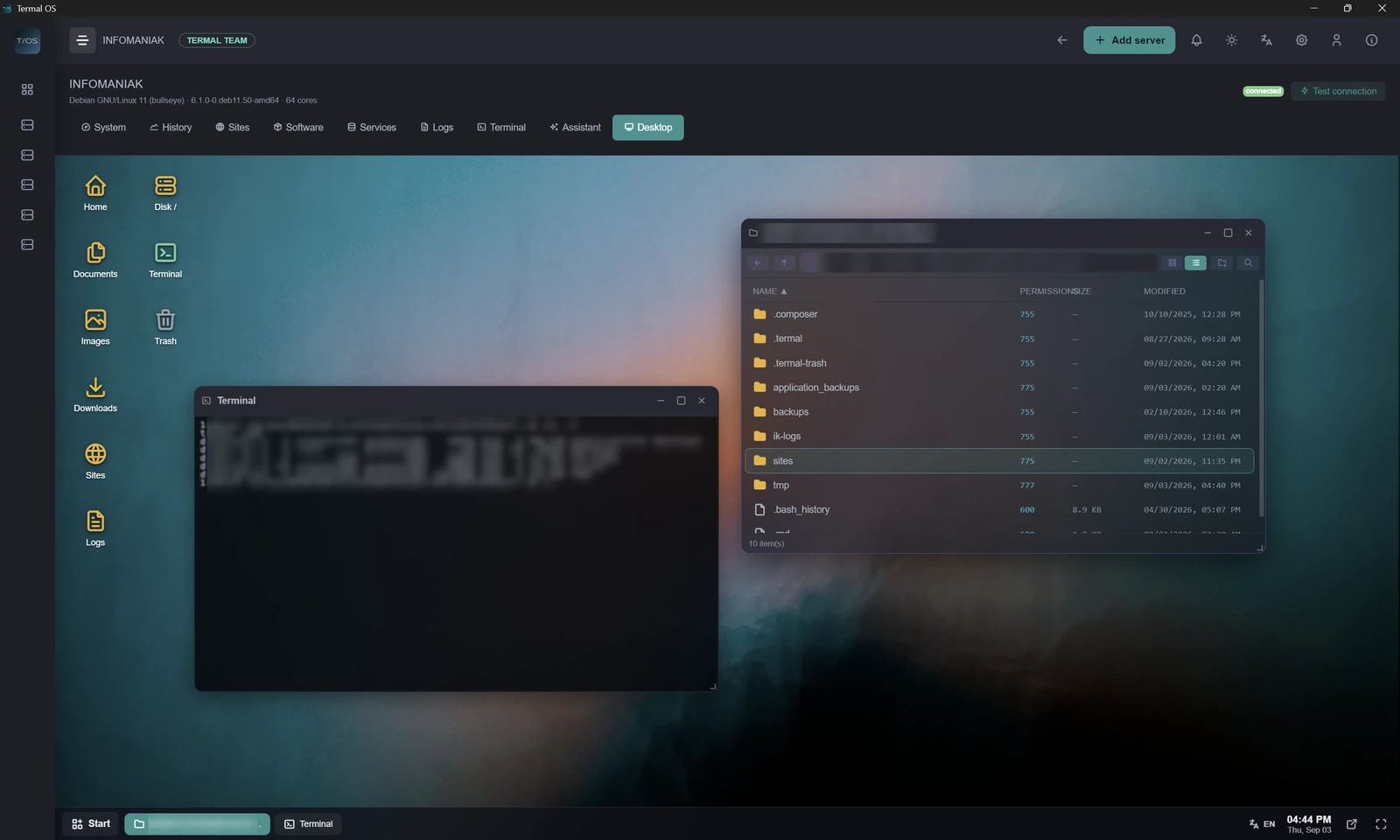
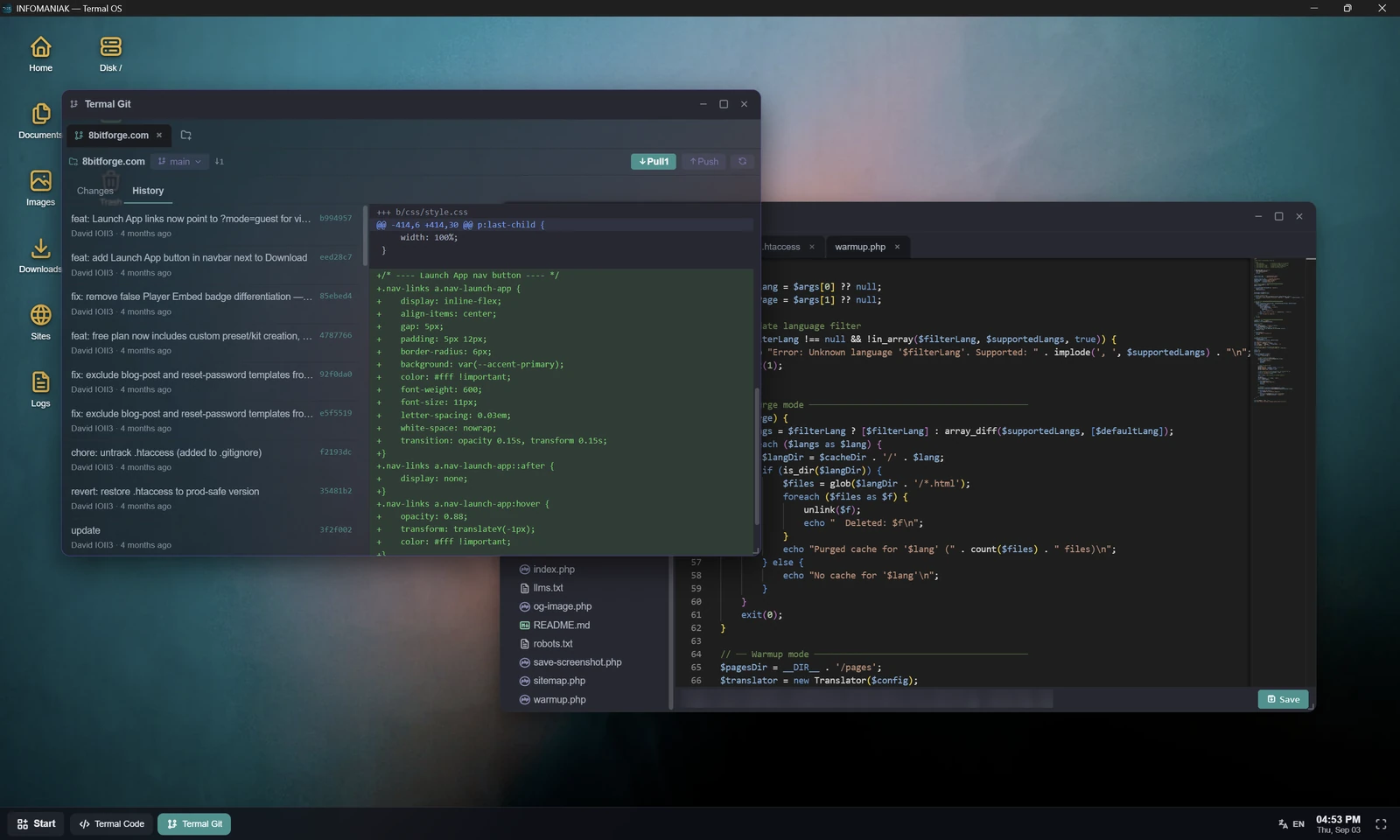
An SFTP explorer with real progress, a genuine PTY shell, a Monaco editor and a multi-tab browser, all driven through a single reusable SSH connection. No agent, no extra port.
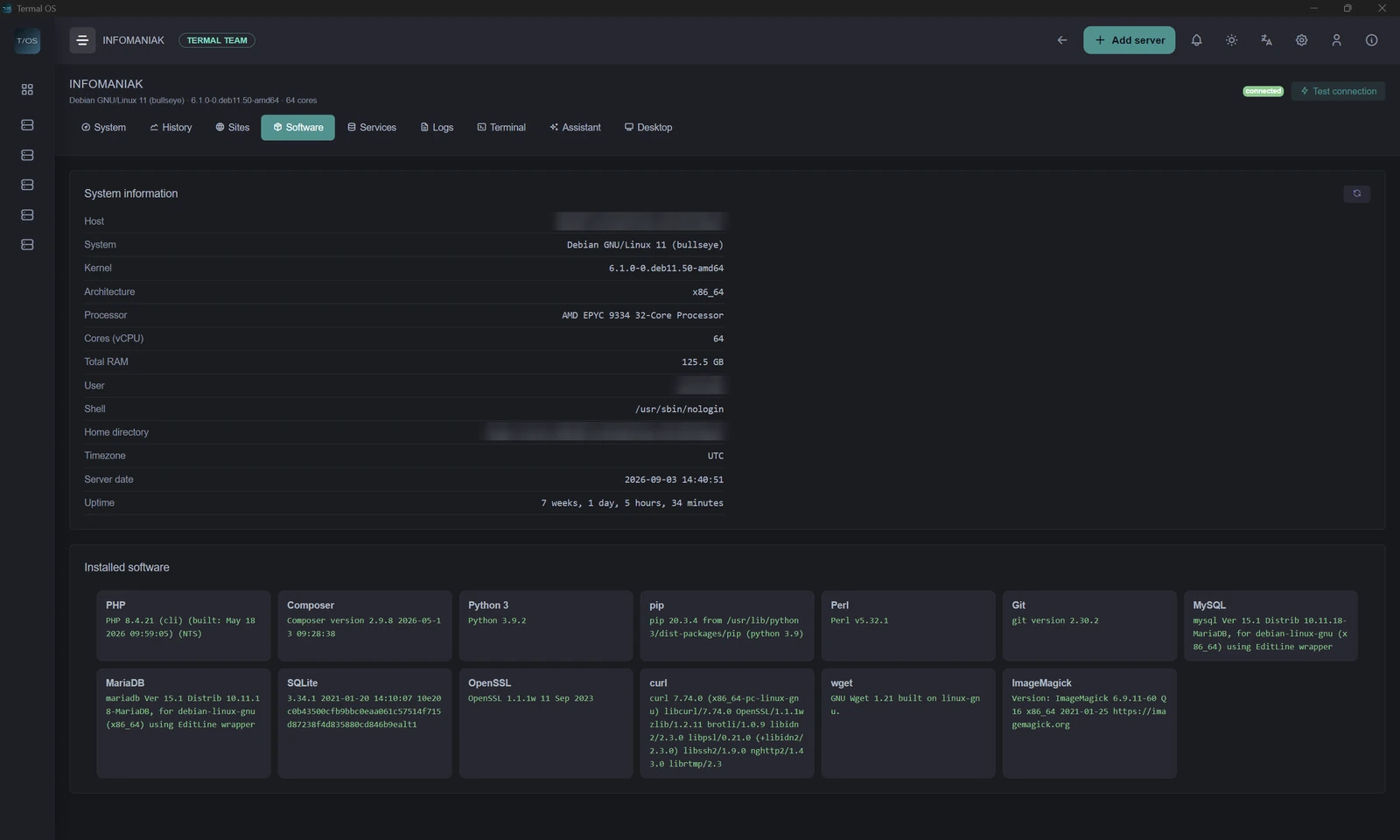
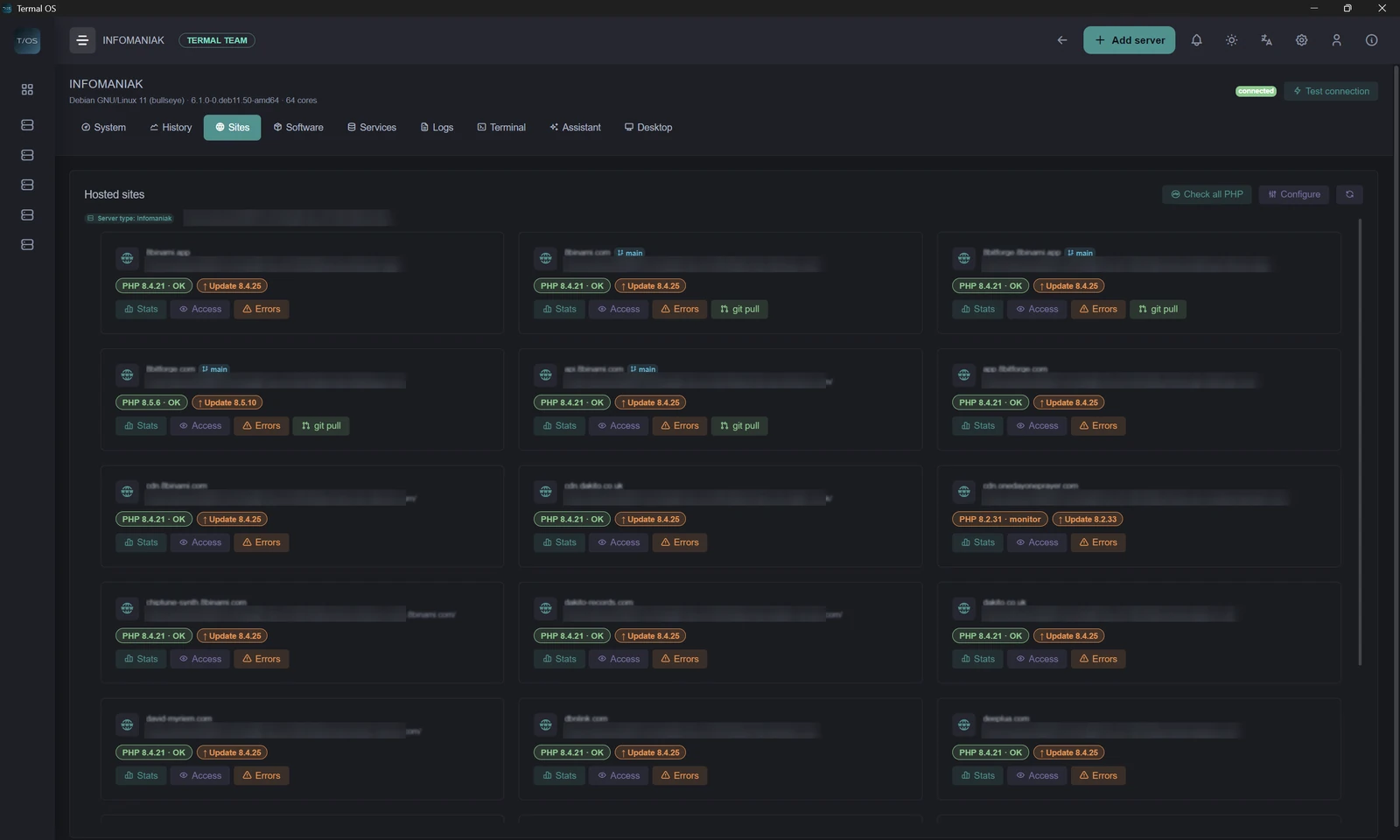
Your sites and containers, discovered.
Termal detects your stack - Infomaniak, Plesk, cPanel or plain nginx/Apache - lists the hosted sites with their real PHP version, and shows your Docker containers with live stats. One click to git pull.
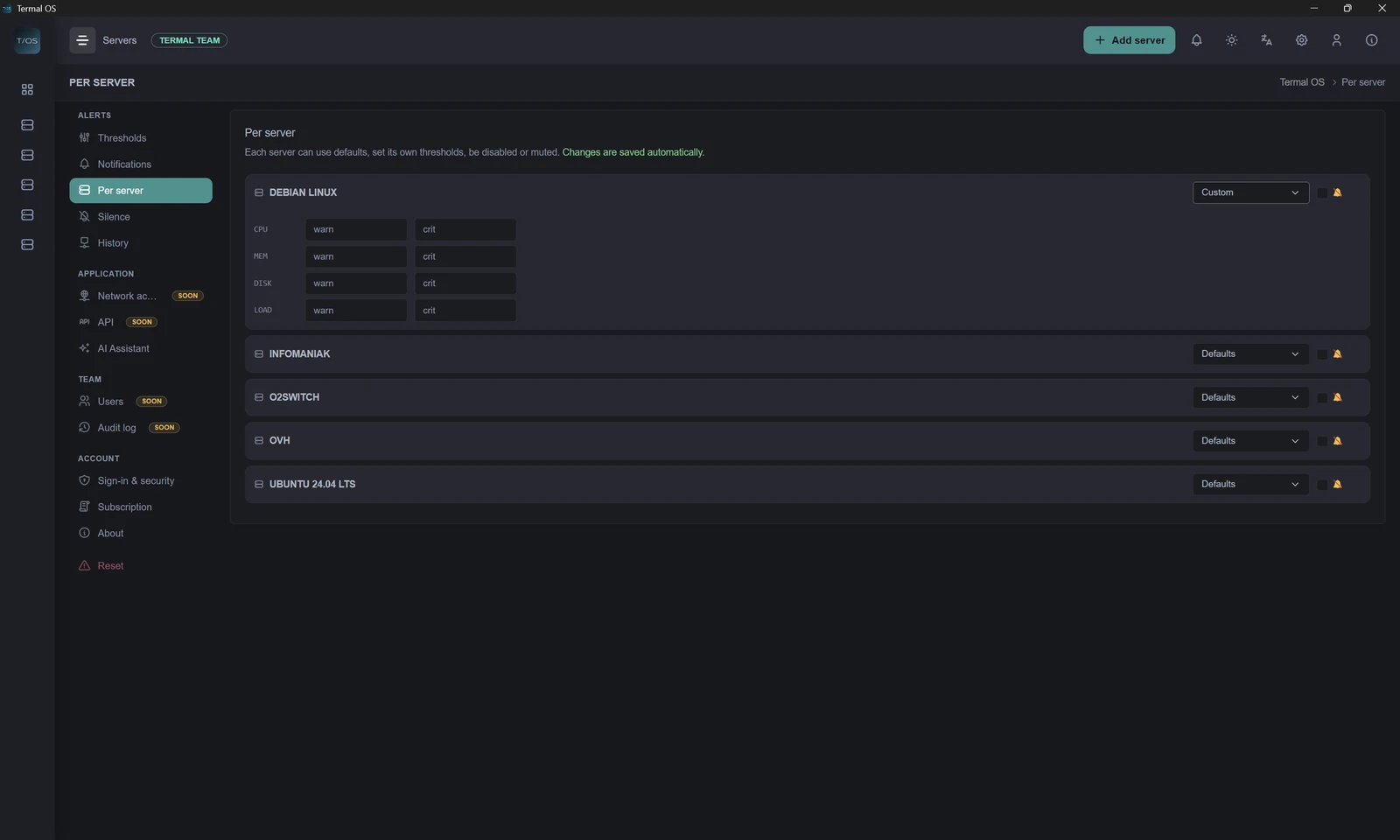
Know before your users do.
Per-server warning and critical thresholds on CPU, memory, disk and load, with escalation and notifications to Telegram, Slack, Discord, a webhook or email.
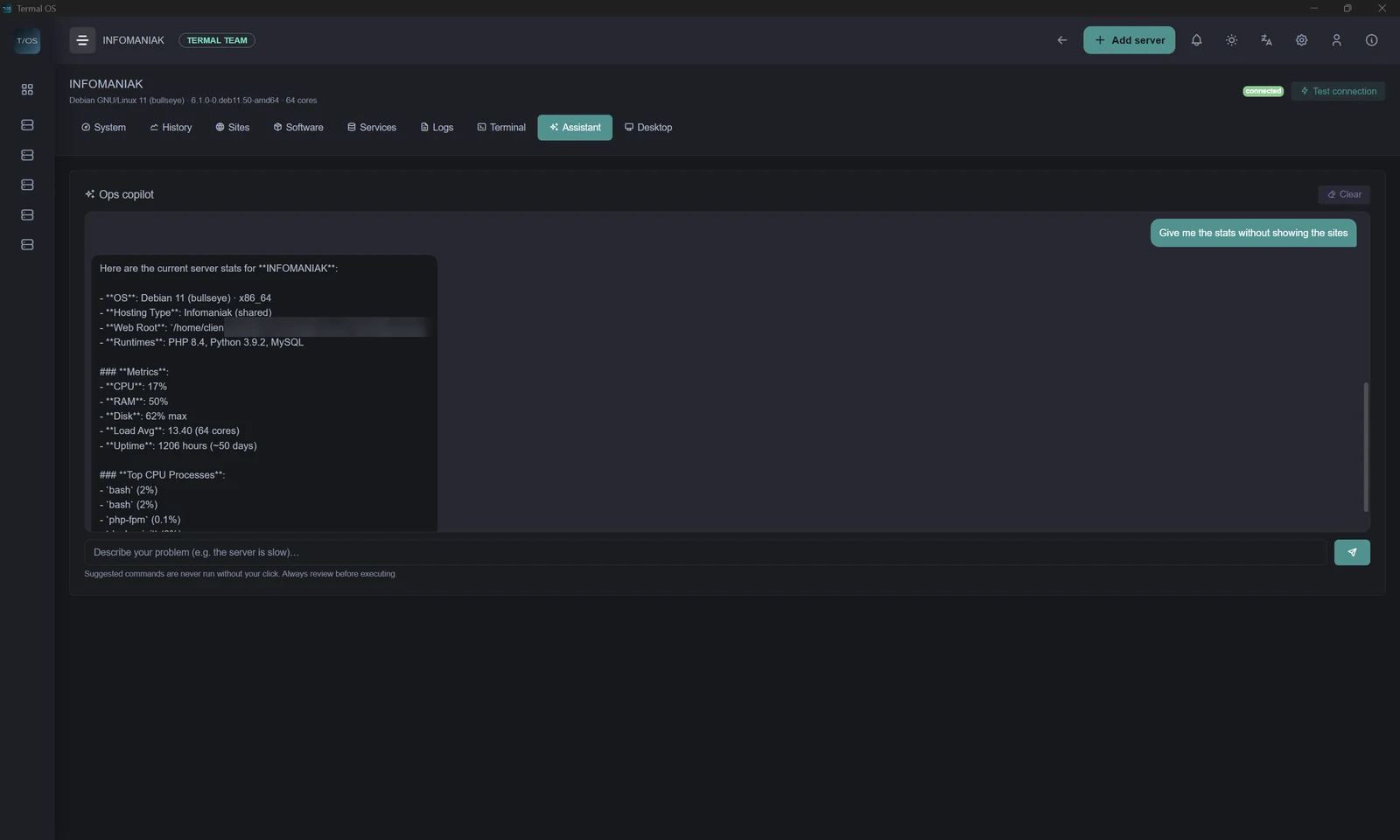
A copilot that shows its work.
Ask in plain language, get a command with an explanation. Nothing runs until you click. Bring your own API key - Anthropic, OpenAI, Mistral, Groq or a local model.
Explorer, editor, shell - one SSH connection.
A full graphical environment on top of the remote filesystem: window manager, taskbar, start menu, desktop icons. Explorer, a VS Code-style editor (Monaco), a multi-tab browser, a process manager - all driven through one reusable SSH connection.
# everything from one connection:
▸ Explorer    files, upload, archives
▸ Terminal    real PTY shell
▸ Termal Code Monaco editor
▸ Browser     multi-tab + devtools
✓ agentless · local-first · yours
One server, one user - free, forever.
Add a server over SSH - shared hosting, a VPS or a dedicated box, no root required - and you're supervising it in under a minute. No agent, no credit card, just an email to activate your license - and 1 server for 1 user stays free forever, even after the paid plans launch. During the Preview, manage up to 3 servers free.