Why a desktop over SSH.
A graphical environment on a remote server sounds like a solution looking for a problem. Here is the honest case for it - including the cases where you should close this page and keep using your terminal.
"I can already do all of this with ssh and vim"
You can. Every single thing on this page is possible with an SSH session, a shell and an editor you already know. If you administer one server, you are fluent in vim, and your workflow fits in a terminal - this is not for you, and we would rather you kept your setup.
The graphical layer is not there because the terminal is inadequate. It is there because a terminal is a sequential interface, and some jobs are not sequential. Watching a transfer while reading a log while editing a config is three windows in any desktop and three tmux panes plus a lot of discipline in a terminal.
Where the graphical layer actually earns its place
Four situations, from the ones we hear most.
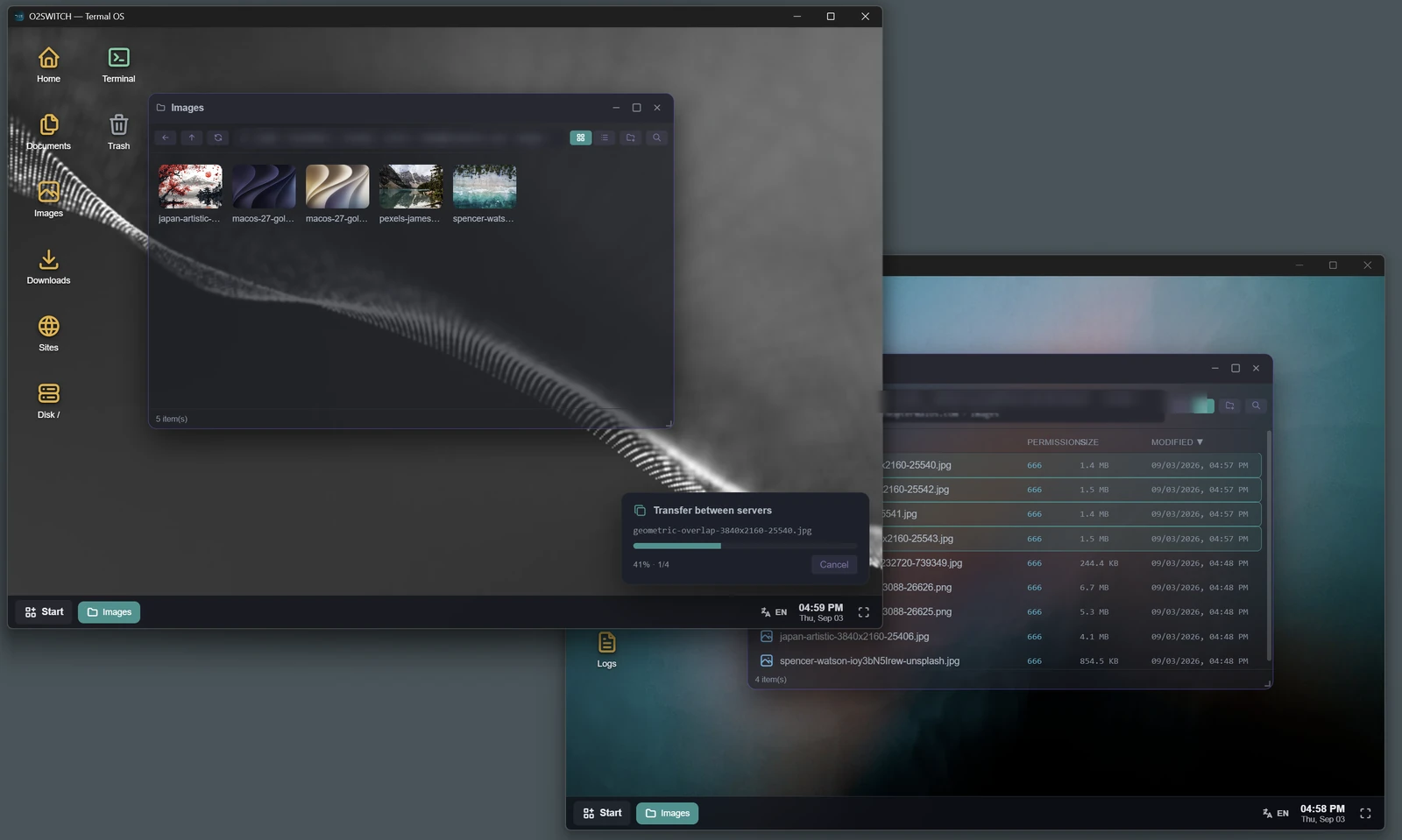
- Moving files, and watching it happen. Copying a directory between two locations over scp gives you a blinking cursor and hope. The Finder does it with a job queue, a live percentage per transfer, and a rename rather than a silent overwrite when the destination already holds that name. On a 4 GB folder over a slow link, "is it still going?" is a real question.
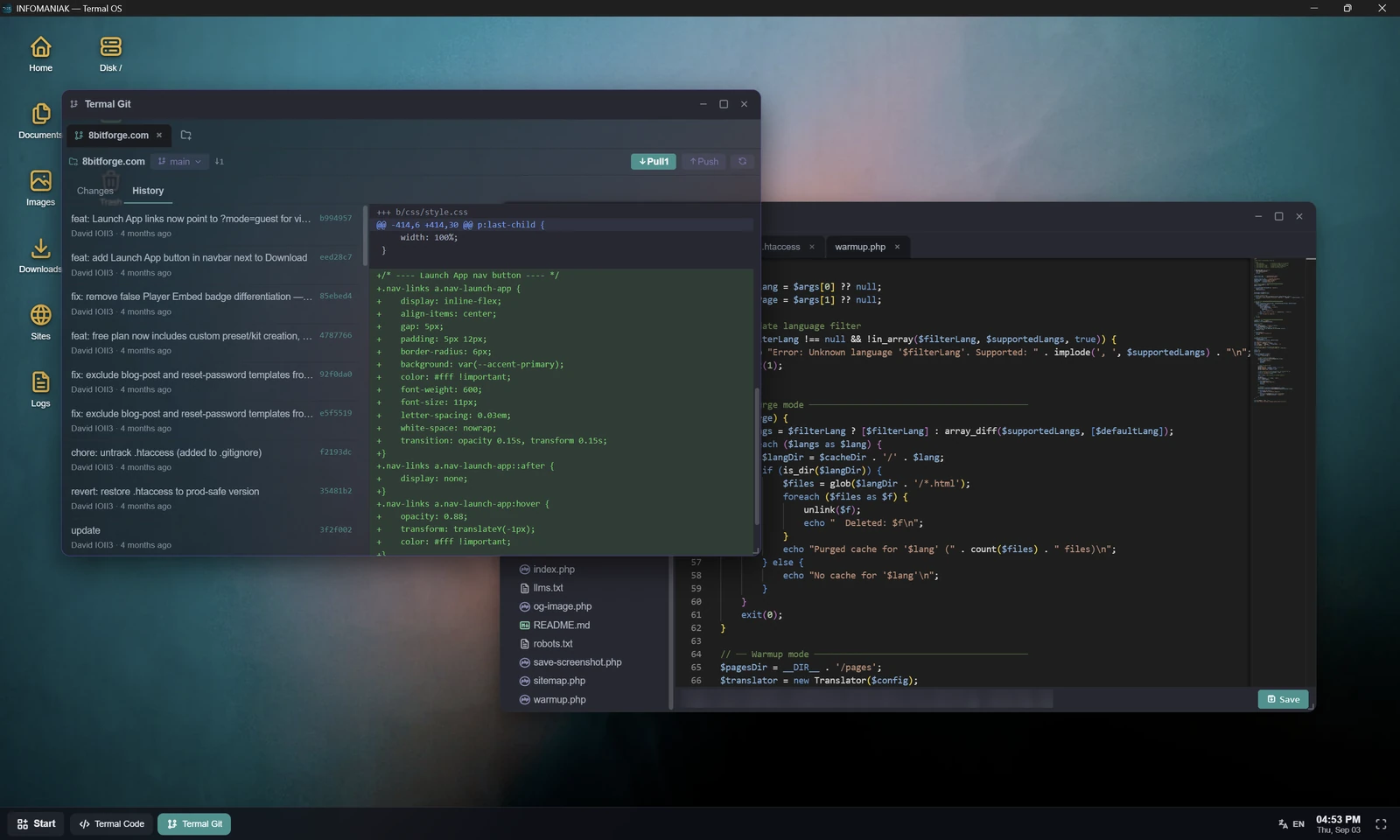
- Reading code you did not write. Editing a known file is a job for vim. Understanding an unfamiliar codebase - jumping between files, following an include, searching across a tree - is a job for a file tree and tabs. That is what a Monaco editor on the remote filesystem gives you, without checking anything out locally.
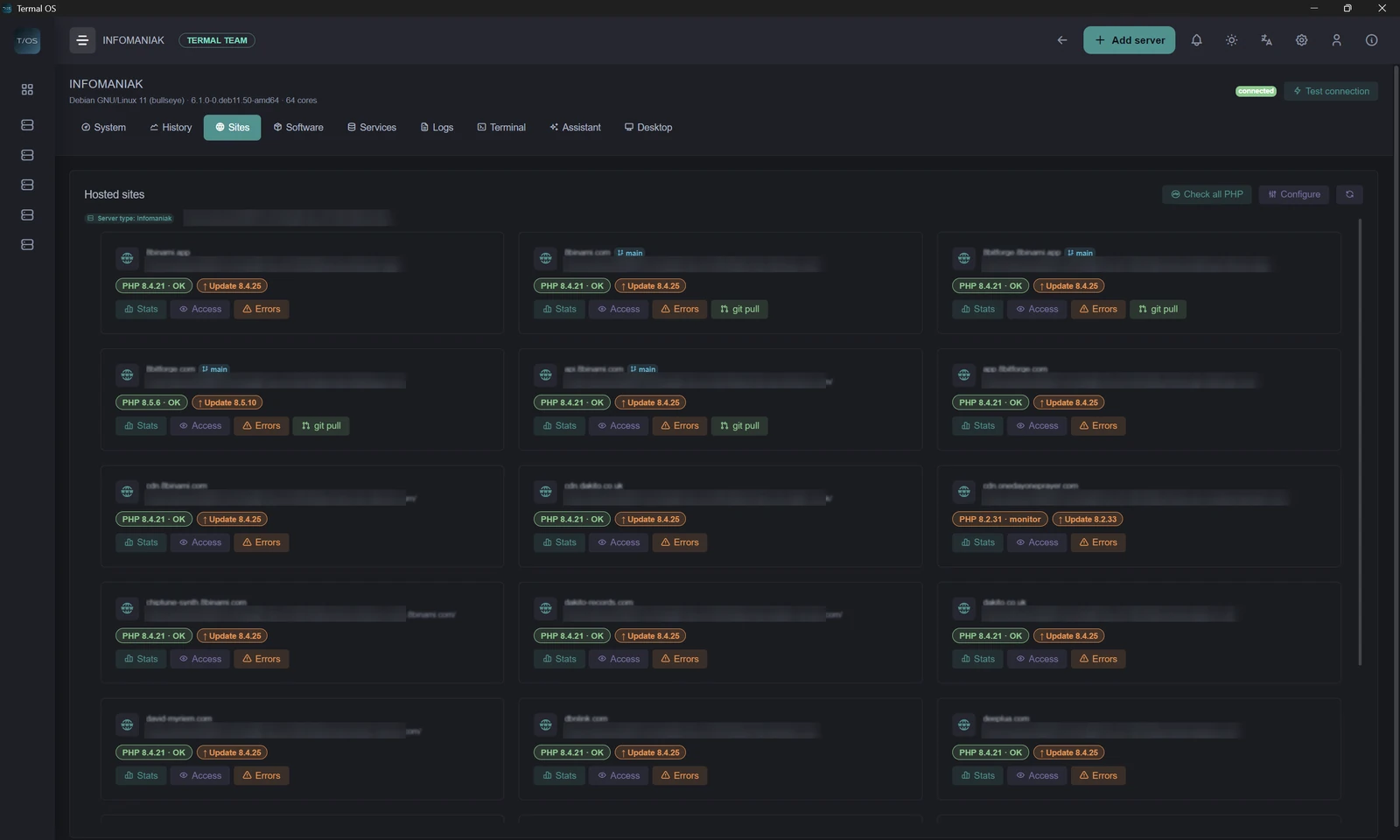
- Landing on a server you have never seen. This is the strongest case. Termal detects what the machine is running - Plesk, cPanel, plain nginx or Apache - lists the sites it serves with the actual PHP version each one uses, shows the running services and containers, and finds the log files. Reaching the same picture by hand means a dozen commands and knowing where each distribution hides things.
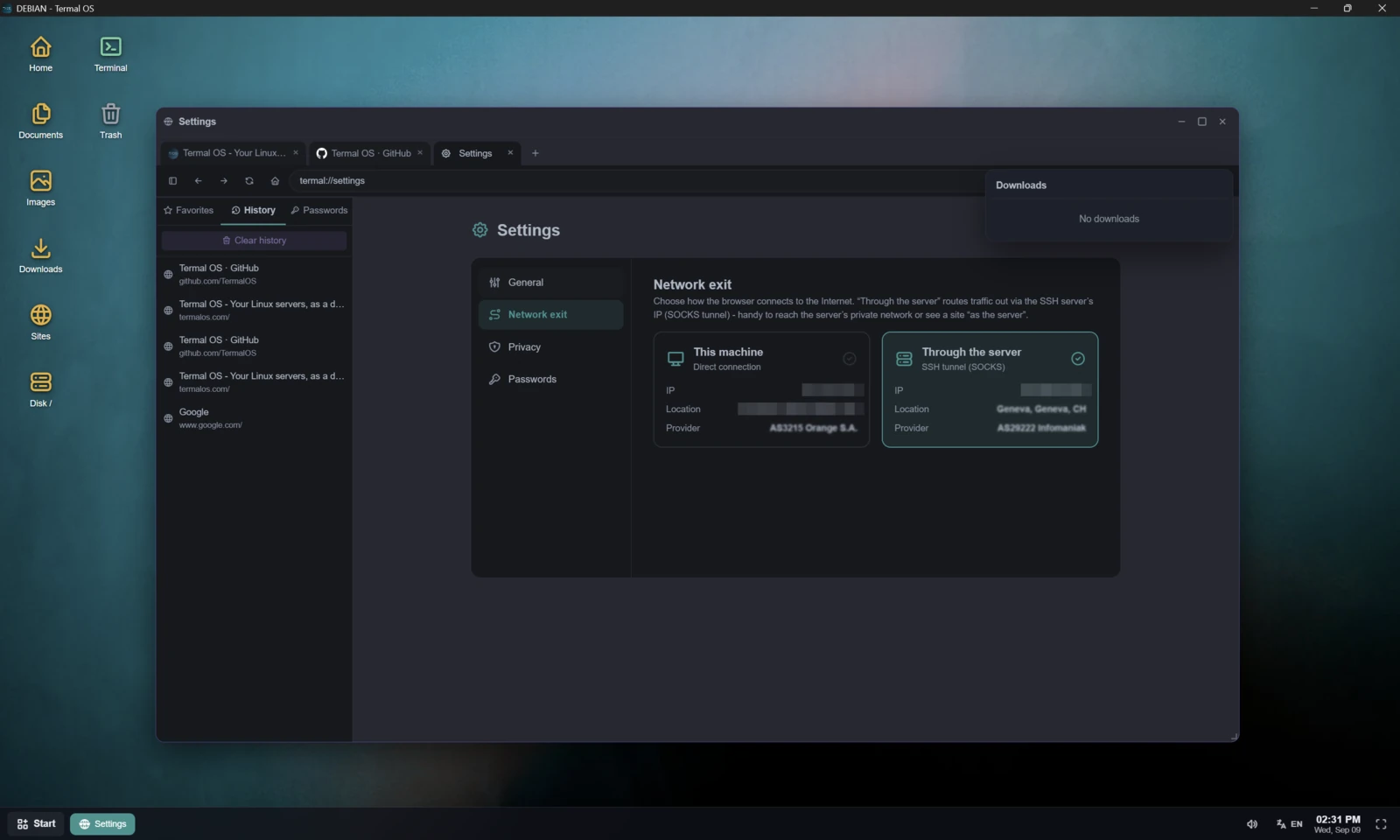
- Testing from the server's own network position. An internal route that answers on the server and nowhere else is awkward to inspect from a terminal. The HTTP client runs curlon the server and lays out the headers and the body. The browser goes further: it browses from your own machine by default, but you can switch its network exit to the server - traffic then travels through a SOCKS5 tunnel opened over the SSH connection you already have, and a badge in the toolbar tells you which of the two you are currently on. With developer tools docked per tab, an internal-only page becomes something you look at rather than something you infer.
All of it on one connection
This is the part that matters architecturally, and it is why the desktop is not just a skin over a bunch of SSH calls.
Termal OS keeps a pool of reusable SSH connections - one per server, with a keepalive, and everything rides on it: metrics, the file explorer, the terminal, the editor, the log tail. Opening the file manager does not open a second session. There is no extra port, no agent, no second authentication, and nothing installed on the machine. From the server's point of view, you are a single SSH login doing ordinary things.
That constraint is also what makes the desktop work on hosting where you have no root and no right to install anything - shared hosting, managed hosting, a client's box. A graphical admin panel that needed a daemon would be useless there.
What is actually in the desktop
A window manager with a taskbar, a start menu and desktop icons, and 23 applications. The ones that do the work:
- Finder - SFTP explorer: copy, move, upload, download a folder as an archive, permissions, drag and drop, transfer queue with progress.
- Terminal - a genuine PTY shell, not a command-runner box.
- Termal Code - Monaco (the editor from VS Code) with a file tree and tabs, editing straight on the remote filesystem.
- Browser - multi-tab, bookmarks, downloads, view-source, and developer tools docked per tab.
- Monitor, Processes, Logs - live metrics, a process list you can kill from, and log tailing with automatic discovery of the usual Apache, nginx, PHP, MySQL and syslog files.
- Web Request, Zip, Git, FTP, Trash - the small tools that otherwise send you back to the shell mid-task.
- Copilot - plain-language questions answered with a command and an explanation. Nothing runs until you click, on your own API key.
There are also a mail client, notes, a calculator, a converter, a colour picker and a few games. Thirteen of the twenty-three are switched off by default - only the App Store, Settings, Finder and Trash are permanent - because a first launch that buries the file explorer under a games menu would be its own argument against the whole idea. Turn on what you use.
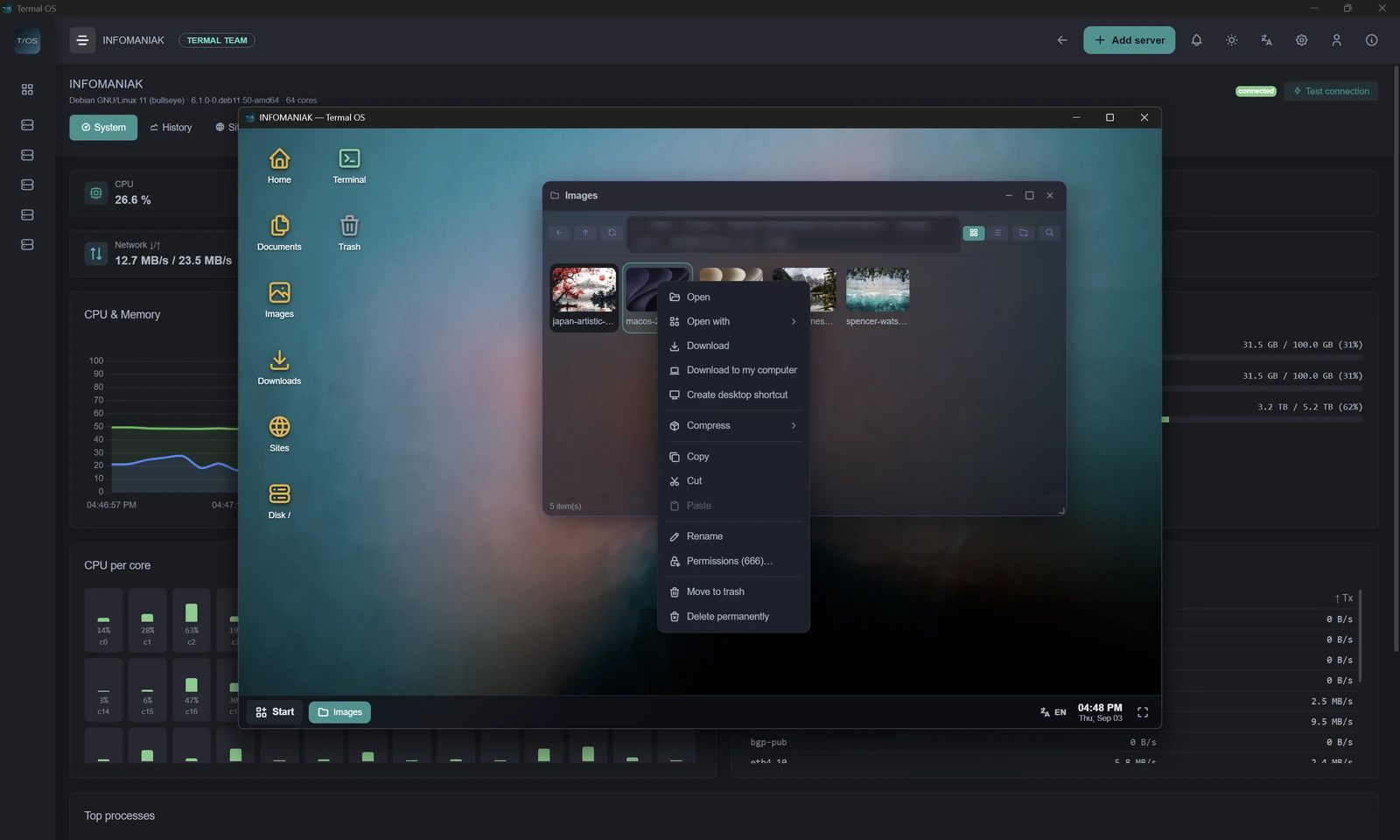
The part developers should look at
The desktop is extensible, and the extension model is the most interesting thing in the codebase.
A third-party app runs inside a sandboxed iframe. It cannot touch the filesystem, the network or the clipboard directly. Every privileged call goes by message to the host, which checks it against the permissions the app declared in its manifest - and there are only six: fs.read, fs.write, net, storage, clipboard, webview. They are shown to you at install time. The rule in the runtime's own header comment is blunt: the iframe is never trusted, the host validates everything.
That matters more here than in most plugin systems, because these apps run against servers you have granted SSH access to. An app store where a plugin could quietly read your keys would be indefensible.
And the SDK is not a separate, lesser API bolted on for outsiders: the built-in calculator is registered through Termal.app() - the same public entry point a third-party app uses. Eight complete example apps ship with the SDK, from a notes app to a webview host to a server widget.
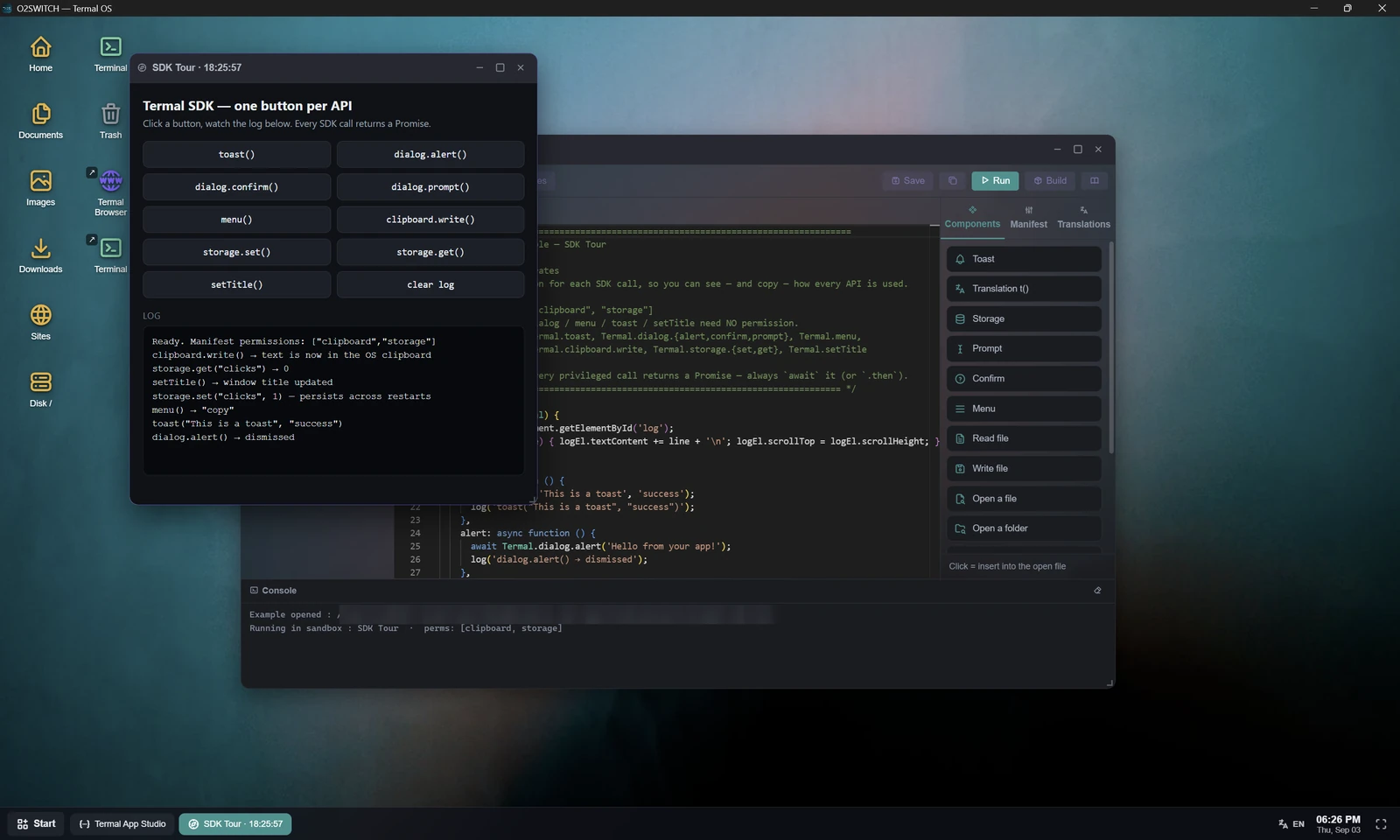
The full reference - manifest, runtime, dialogs, file pickers, storage, network, webview, clipboard, window control, translations, packaging - is on the Termal App Studio page.
What it is not
- Not a replacement for your terminal. It contains one, and you will use it. If your work already fits in a shell, the desktop adds nothing you need.
- Not a remote desktop protocol. There is no X11, no VNC, no RDP and no display server on your machine's side of the wire. The window manager runs locally in the app; only the file, shell and metric traffic crosses the SSH connection.
- Not always-on. Collection keeps running with the window closed, but the application must be running on a machine that is awake. Close the laptop and it stops - see the Netdata comparison, where this matters most.
- Not for a thousand servers. A few to a few dozen. Linux over SSH only: no SNMP, no Windows, no network discovery.